How BILL Works
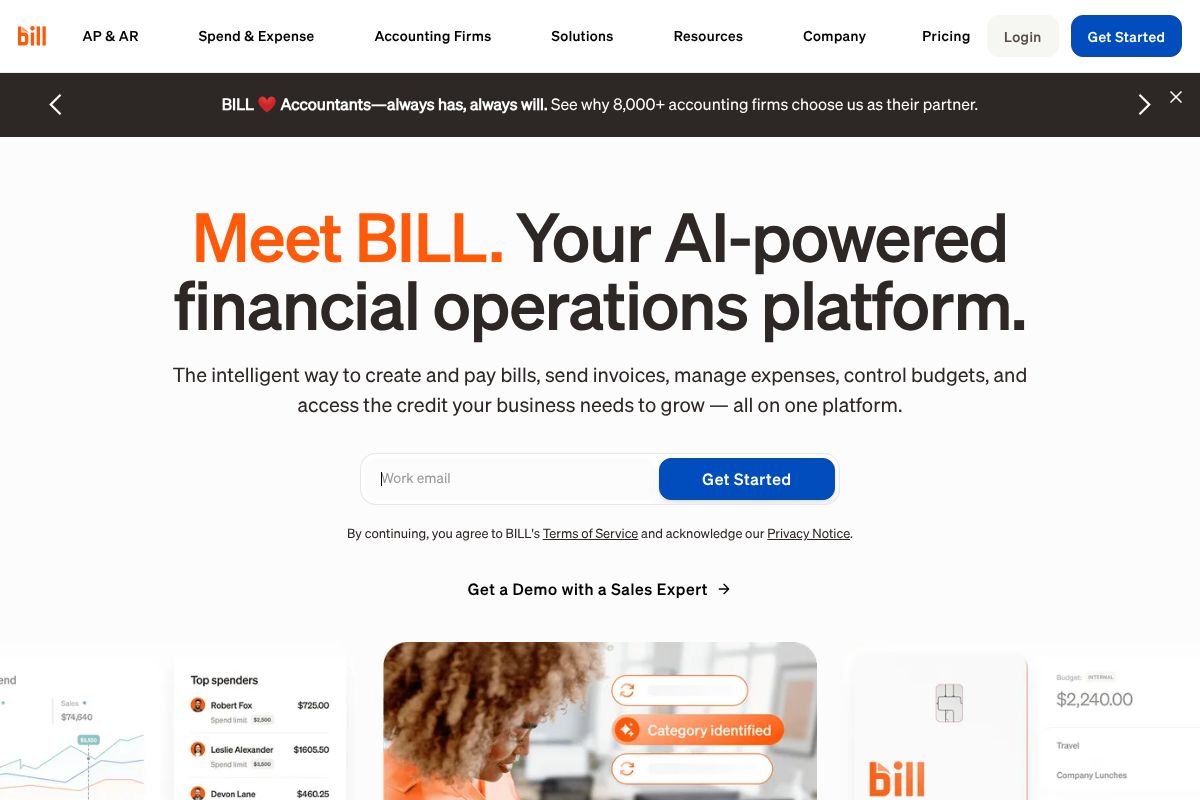
BILL automates document capture, coding, approval routing, and payment execution in a single workflow. When a vendor invoice is received it can be uploaded or captured by BILL, the platform extracts invoice data using AI, suggests coding and categories, and routes the bill through configurable approval chains before scheduling payment via ACH, card, or international rails.
For receivables, BILL generates and sends invoices, accepts multiple payment methods, and posts payments back to connected accounting systems so AR balances are updated automatically. Teams use the platform's aggregated cash flow task list to prioritize bills and invoices across entities, and accounting firms can manage multiple clients from the Accountant Console described on the Accountant Console page.

Core Capabilities of BILL
BILL features
BILL's feature set centers on AP automation, AR and invoicing, spend controls, and integrations into accounting systems, with AI used to speed data extraction and reduce manual entry. The platform also offers payment options, corporate card issuance through Divvy, budgeting and reporting, and API access for custom workflows. See the platform overview on the BILL Financial Operations Platform page.
AI-powered invoice capture and data extraction
BILL extracts vendor, date, amounts, and line-item information from uploaded invoices and receipt images, which reduces manual entry and posting time. The AI suggests account coding and matching fields for review, which speeds processing for teams processing high volumes of bills.
Accounts payable automation
AP automation includes configurable approval workflows, scheduled payments, and the ability to run payments by ACH, virtual card, and international rails. This centralizes bill review and payment scheduling while keeping a clear audit trail for finance and accounting teams. Learn more on their Accounts Payable page.
Accounts receivable and invoicing
BILL supports invoice creation, delivery, and payment processing with options for online payments and automated cash application. The system posts receivable activity back to connected accounting software to keep ledgers aligned and reduce reconciliation work.
Spend and expense management
Spend controls include budgets, expense reporting, and corporate card controls with mobile receipt capture and routing for reimbursements. BILL issues the BILL Divvy Card for centralized card management and rewards tracking; details on spend features are on the Spend & Expense page.
Payments and payment rails
Payment options include ACH, pay-by-card (virtual and physical), and international payments to a variety of countries and currencies. These options let teams choose the fastest or lowest-cost rail for a given vendor and support supplier preferences for how they receive funds.
Cash flow forecasting and reporting
Cash flow features provide aggregated cash visibility across payables and receivables, with reporting that helps prioritize payments to maintain healthy liquidity. Built-in dashboards and exportable reports support month-end close and forecasting conversations with leadership.
Approvals, controls, and procurement
Configurable approval hierarchies, role-based permissions, and procurement workflows help enforce policy and prevent overspending. Teams can route approvals to the right stakeholders and require multiple sign-offs for high-value transactions to maintain internal control.
Integrations and API access
BILL connects to major accounting platforms and other financial systems to automate posting and reconciliation and offers an API for custom integrations and automation. See their Integrations page and the API page for developer details.
Security and compliance
The platform applies bank-level security practices, access controls, and audit logging to protect payment data and meet compliance needs; more on protections is available in their Bank-level Protection guide. This supports finance teams that must demonstrate controls for audits.
With BILL you get an end-to-end workflow that moves documents to paid status with fewer manual steps, centralizes approvals and payment options, and ties activity back to the accounting system for faster closes.
BILL Pricing
Pricing Overview
BILL offers a range of pricing plans designed to meet the needs of businesses and accounting firms. Below is a detailed breakdown of the available plans, including features and pricing.
Plans for Businesses
-
Corporate Plan
Price: $89 per user/month
This plan includes:
- Automatic 2-way sync with QuickBooks Online, QuickBooks Pro, Quickbooks Premiere, and Xero
- Centralized inbox for managing bills
- Unlimited document storage
- Custom approval policies and user roles
- Access to +4M vendors via the BILL network
- Payment options including ACH, virtual card, and credit card
-
Team Plan
Price: $65 per user/month
This plan includes:
- Automatic 2-way sync with QuickBooks Online, QuickBooks Pro, Quickbooks Premiere, and Xero
- Automated approval workflows
- Centralized inbox for managing bills
- Custom user roles
- Payment options including ACH, virtual card, and credit card
Enterprise Plan
Custom Pricing
This plan is tailored for larger organizations and includes:
- Enhanced security features
- Multi-location accounting capabilities
- Priority support
- Automatic 2-way sync with various accounting software
- API access
For more information, please request a demo.
Free Trial
BILL offers a free trial for new users, allowing you to explore the features and benefits of the platform before committing to a paid plan.
Additional Information
For accountants, specific pricing plans are available. Please visit the accountants pricing page for more details.
This pricing was last checked by our team on February 1, 2026
What is BILL used for
BILL is commonly used to automate accounts payable workflows so finance teams spend less time on manual invoice entry, approvals, and payment reconciliation. Organizations use it to centralize bill intake, enforce approval policies, and run payments by ACH, card, or international transfer while keeping bookkeeping synchronized with accounting software.
Accounting firms use BILL to manage multiple client books, offer bill-pay services to clients, and scale bookkeeping by reducing repetitive tasks. The Accountant Partner resources such as the Accountant Partner Program are aimed at firms that want to provide bill-pay and spend controls for their clients.
Pros and Cons of BILL
Pros
Automation of Processes
BILL automates document capture, coding, and approval routing.
Multiple Payment Methods
Supports ACH, card payments, and international transactions.
Integrated Cash Flow Management
Offers an aggregated cash flow task list for prioritizing bills.
API Access
Provides API access for custom integrations and enhanced functionality.
Support for Multiple Clients
Allows accounting firms to manage multiple clients efficiently.
Cons
Custom Pricing for Enterprise
Pricing can be complex and may require a demo for quotes.
Learning Curve
Users may face a learning curve due to the platform's comprehensive features.
Limited Free Trial Options
No extensive free trial available for users to test before commitment.
Dependency on Connectivity
Requires stable internet connectivity for optimal performance.
Frequently asked questions about BILL
What does BILL do for accounts payable?
BILL automates invoice capture, approval routing, and payment execution for accounts payable. It extracts invoice data, routes approvals, and supports ACH, card, and international payments to reduce manual work.
Does BILL integrate with accounting software?
Yes, BILL integrates with major accounting systems and posts transactions back to the ledger. See the list of supported connections on their Integrations page.
Can BILL issue corporate cards for spend management?
Yes, BILL issues the BILL Divvy Card for centralized card management and rewards. Card issuance and spend controls are part of the Spend & Expense product offering described on the Spend & Expense page.
Is BILL secure for handling payments and financial data?
BILL uses bank-level protections, access controls, and audit logging to secure payment data. Details about their security practices and partner banks can be found in the Bank-level Protection guide and their legal notices.
How can accounting firms use BILL?
Accounting firms can manage multiple clients, automate bookkeeping tasks, and offer bill-pay services through BILL. Resources for firms include the Accountant Partner Program and the Accountant Console.
Final verdict: BILL
BILL is a strong choice for organizations and accounting firms that want a centralized platform for AP, AR, spend controls, and payment execution. It excels at reducing manual bookkeeping work through AI-assisted invoice capture, configurable approvals, and integrated payment rails, and it supports firm-scale workflows through the Accountant Console and partner resources.
Compared with Tipalti, which often targets global payables for larger enterprises, BILL provides a broader financial operations stack that includes spend and expense management as well as credit options; pricing for BILL is handled via tailored plans while Tipalti generally positions itself at the mid-market to enterprise level with its own fee structure. For teams evaluating payables automation versus a full financial operations suite, BILL is a good fit when integrated spend controls, card issuance, and accountant-focused tools are priorities.