How Acumatica Works
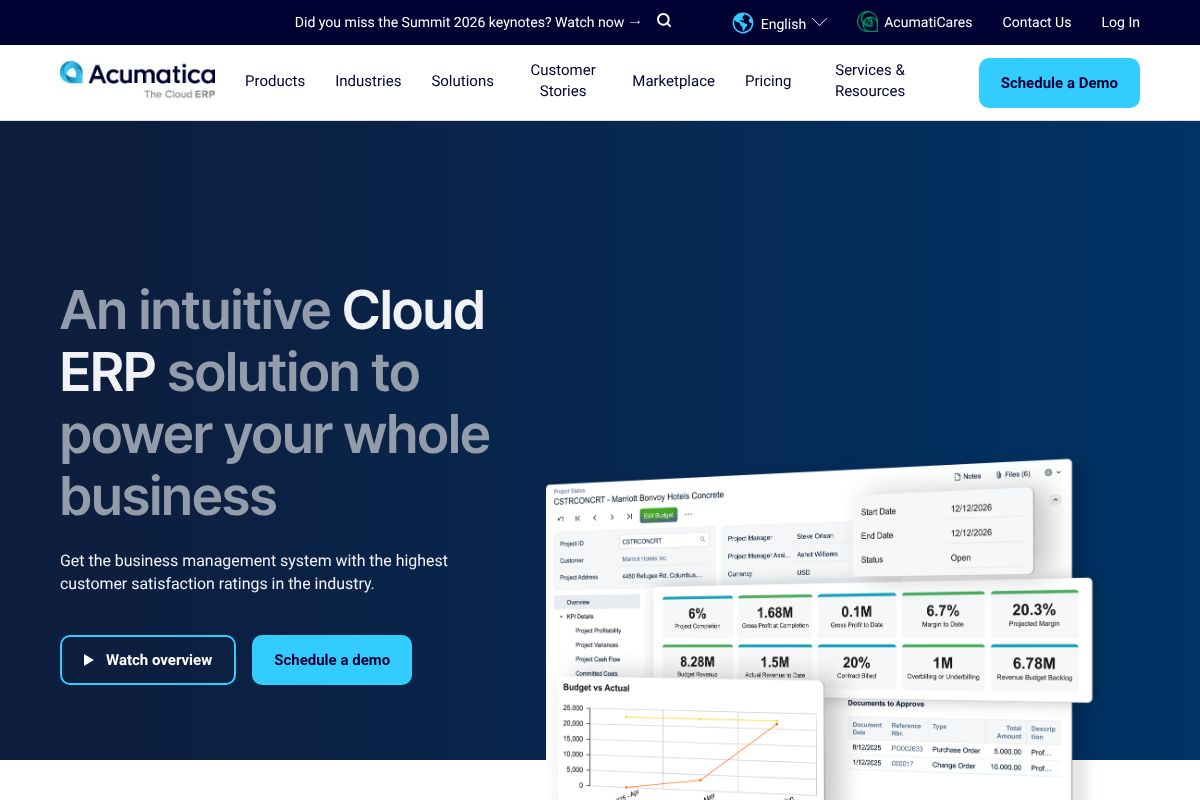
Acumatica is delivered as a cloud-native web application accessible through a browser and mobile apps, with deployment options that include public cloud, private cloud, or on-premises hosting. The platform is organized into modules such as Financial Management, Distribution, Manufacturing, Project Accounting, CRM, and Field Service, each sharing a common data model that avoids duplicate records and simplifies reporting.
Users interact with role-based dashboards, workflows, and business events to automate processes like order-to-cash, procure-to-pay, and project billing. Integration points and APIs let organizations connect commerce platforms, payment processors, and third-party systems; developers can extend functionality through the Acumatica Marketplace and developer resources at the Developers home.
Implementation typically follows an assessment, configuration, data migration, and go-live sequence supported by partner-led services and Acumatica FastTrack deployment options. Practical workflows include automated project cost capture for services firms, serialized inventory and lot tracking for distributors, and job cost breakdowns for construction teams, all accessible from a single platform view.

Core Capabilities of Acumatica
Acumatica features
Acumatica groups ERP functionality into industry apps and core modules, with recent emphasis on AI-assisted automation and improved commerce connectors. Core capabilities cover financials, inventory and warehouse management, manufacturing, project accounting, CRM, business intelligence, and extensibility through a marketplace of integrations.
Financial Management
Comprehensive general ledger, accounts payable, accounts receivable, and cash management tools support multi-entity and intercompany accounting, centralized period close procedures, and configurable approval workflows to reduce manual reconciliations.
Distribution Management
Order management, purchasing, demand planning, and inventory valuation support multi-location distribution operations with lot and serial tracking, backorder handling, and sales order fulfillment visibility across channels.
Manufacturing Management
Production planning, bill of materials, routings, and shop floor control features support discrete and process manufacturing workflows, with material requirements planning and capacity considerations to manage production runs.
Construction Management
Project accounting, contract management, change order handling, and progress billing help contractors and construction firms align financials with job costs, retainage, and subcontractor management requirements.
CRM and Customer Management
Built-in CRM captures leads, opportunities, contacts, and service cases, and integrates with sales and service financials so quotes, orders, and billing are connected across the customer lifecycle.
Reporting, Dashboards and BI
Real-time dashboards and customizable reports use the platform's unified data model to deliver cross-module analytics; the system supports scheduled reports and interactive visualizations for executive and operational users.
Warehouse Management System (WMS)
Mobile barcode scanning, directed putaway, pick-and-pack workflows, and wave picking support warehouse operations with options to integrate with handheld devices and third-party logistics processes.
Payments and Commerce Connectors
Integrated payment processing and commerce connectors allow merchants to link e-commerce platforms and point-of-sale systems to ERP order and fulfillment workflows to keep financials in sync with sales channels.
Artificial Intelligence and Automation
AI features and process automation help automate routine tasks such as invoice recognition, transaction matching, and exception handling, reducing manual effort in accounts payable and other repetitive operations. See the AI overview for product capabilities.
Multi-Entity and Intercompany Accounting
Tools for consolidations, intercompany eliminations, and currency handling enable companies with multiple legal entities to manage consolidated financials and intercompany transactions in a controlled manner.
With these features, the largest benefit is a single ERP platform that combines industry-specific apps with a consistent data model, reducing integration overhead and enabling finance and operations teams to work from the same transactional data.
Acumatica Pricing
Acumatica Pricing Overview
Acumatica offers a flexible pricing model designed to accommodate businesses of all sizes. Below is a comprehensive overview of the available pricing tiers and options.
Pricing Tiers
-
Core ERP Package:
This package includes essential features for financial management, project accounting, and customer management. Pricing is based on the number of users and the specific modules selected.
-
Industry-Specific Editions:
Acumatica offers tailored solutions for various industries, including:
- Construction Management
- Distribution Management
- Manufacturing Management
- Retail Management
- Field Service Management
Pricing varies based on the selected industry edition and required features.
-
Subscription Plans:
Acumatica operates on a subscription basis, with options for monthly or annual billing. The cost is determined by the number of users and the modules included in the subscription.
Free Trial and Freemium Options
Acumatica offers a free trial for potential users to explore the software's features and capabilities before committing to a subscription. Interested users can sign up on the Acumatica website to access the trial.
Enterprise and Custom Pricing
For larger organizations or those with specific needs, Acumatica provides custom pricing options. Interested businesses are encouraged to contact the sales team for a tailored quote based on their requirements.
Contact Information
For more details on pricing or to discuss specific needs, please contact us.
This pricing was last checked by our team on February 1, 2026
What is Acumatica Used For?
Acumatica is used to centralize finance and operations for mid-size and growing enterprises that require stronger inventory control, project accounting, and multi-entity consolidation than entry-level accounting packages provide. Typical users include distributors managing large catalogs, manufacturers coordinating production and shop floor activities, and professional services firms tracking project costs and billing.
The platform is also used in retail and commerce scenarios to synchronize point-of-sale and e-commerce orders with inventory and financials, and in construction to manage job costing, change orders, and contract billing. IT and operations teams often choose Acumatica where partner-led customization and a marketplace of add-ons are important to meeting industry requirements.
What Works and What Doesn't in Acumatica
What Works
Deployment Flexibility
Run the same codebase on public cloud, private cloud, or on-premises. This suits businesses with strict data sovereignty requirements.
Citizen Developer Tools
Low-code/no-code customization empowers business users to modify workflows without IT dependency.
Unlimited User Licensing
No per-seat fees means you can add employees, vendors, and customers without incremental license costs.
Consumption-Based Pricing
Pay for processing resources and transactions, not headcount. This favors seasonal businesses with fluctuating staffing.
What Doesn't
Report Designer Limitations
The Report Designer lacks preview functionality without saving, offers limited formatting capabilities for tables, and provides inaccurate query validation feedback that passes validation but fails during execution.
Citizen Developer Risks
Low-code changes can inadvertently alter critical business logic without proper governance, creating system instability when non-technical users modify unit quantities, pricing rules, or approval workflows.
Migration Failure Rates
Gartner research indicates 55% to 75% of Acumatica migrations fail to meet original goals due to data quality issues, integration complexity, and inadequate planning phases.
Frequently asked questions about Acumatica
What is Acumatica used for?
Acumatica is used to run core business operations such as financials, inventory, manufacturing, project accounting, and CRM. Companies use it to centralize transactional data, automate workflows, and produce consolidated reports across entities.
Does Acumatica have a mobile app?
Yes, Acumatica provides mobile access for core ERP tasks. The platform includes mobile-ready screens and native mobile apps that support field service, approvals, and on-the-go transactions.
How does Acumatica pricing work?
Acumatica offers customized pricing based on modules, deployment, and implementation needs. Prospective buyers typically obtain quotes through demos or partner engagements to match functionality to business requirements.
Does Acumatica integrate with e-commerce platforms?
Yes, Acumatica supports commerce connectors and integrations for e-commerce and POS systems. These connectors synchronize orders, inventory, and financials between online stores and ERP workflows.
Does Acumatica provide an API for developers?
Yes, Acumatica provides REST and SOAP APIs and an SDK for customizations. Developers can find API and integration guidance in the Developers resources.
Final verdict: Acumatica
Acumatica is a strong choice for mid-market and distributed enterprises that need a modular, cloud-native ERP with deep industry functionality for distribution, manufacturing, construction, and services. Its unified data model and marketplace make it practical for organizations that expect to extend the system through partner solutions and custom integrations.
Compared to NetSuite, Acumatica tends to offer more flexible licensing options and modular deployment that can be tailored by partners, while NetSuite provides a more prescriptive cloud ERP experience with broad native functionality. For organizations evaluating pricing and features side-by-side, review the Acumatica vs NetSuite comparison and request a demo to understand how each platform aligns with your specific processes and total cost of ownership.